 ClawDeploy
Automate Your Business Online: 7 Ways AI Assistants Replace Manual Work
You are doing work right now that a bot could handle better, faster, and without needing a lunch break. That is not a dig at your work ethic. It is a statement about where business automation has landed in 2026.
The ability to automate business with AI is no longer reserved for companies with dedicated ML teams and six-figure infrastructure budgets. OpenClaw is an open-source AI assistant framework that gives your bots persistent memory, custom skills, full browser control, and proactive behaviour. And ClawDeploy lets you go from zero to a running assistant on Telegram, Discord, or the web in under a minute. No servers. No CLI. Just pick a model, choose a channel, and deploy.
What follows are seven real ways AI assistants replace manual work across your business. Not hypothetical "imagine if" scenarios. Actual workflows that teams are running today.
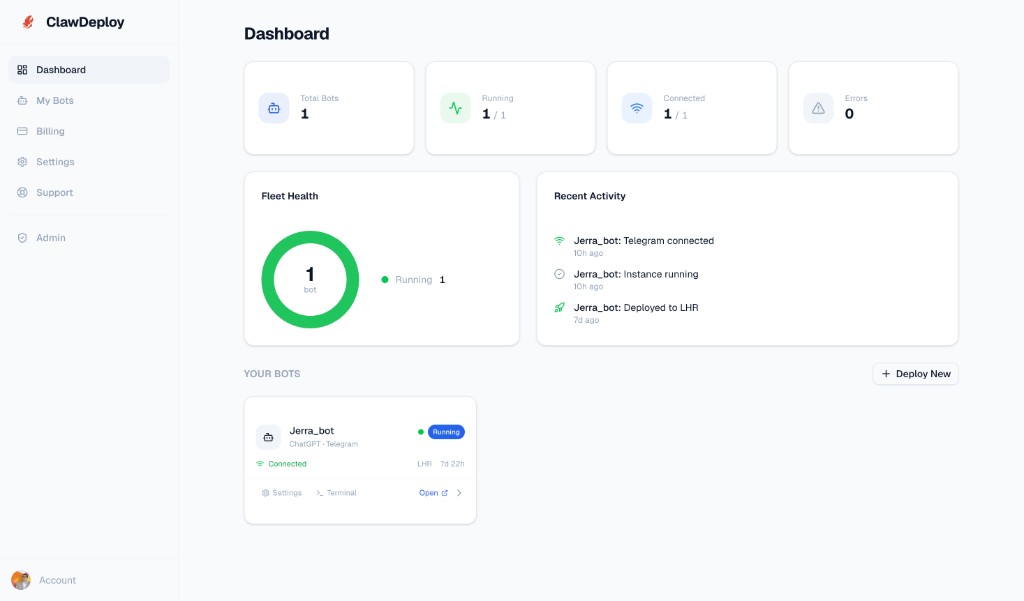
Source: clawdeploy.net/dashboard
1. AI Customer Support That Never Clocks Out
Every business owner knows the feeling. You wake up to 14 unread support messages, half of which are the same question you answered yesterday. The other half require context from a conversation that happened two weeks ago that you definitely do not remember.
Traditional chatbots solve approximately none of this. They match keywords, spit out canned responses, and escalate to a human the moment the question gets interesting. Your customers end up repeating themselves, and your team ends up doing the same work the bot was supposed to eliminate.
OpenClaw's persistent memory changes the game entirely. Your AI assistant remembers every conversation with every user across every session. When a customer returns three days later and says "any update on my issue?", the bot knows exactly which issue they mean. It recalls the full context, checks for updates, and responds with specifics.
Deploy a support assistant on Telegram or Discord through ClawDeploy and it handles the repetitive questions 24/7. When something genuinely needs a human, it escalates with full context attached so your team never starts from scratch. The result: faster resolution times, happier customers, and fewer "per my last message" moments for your support staff.
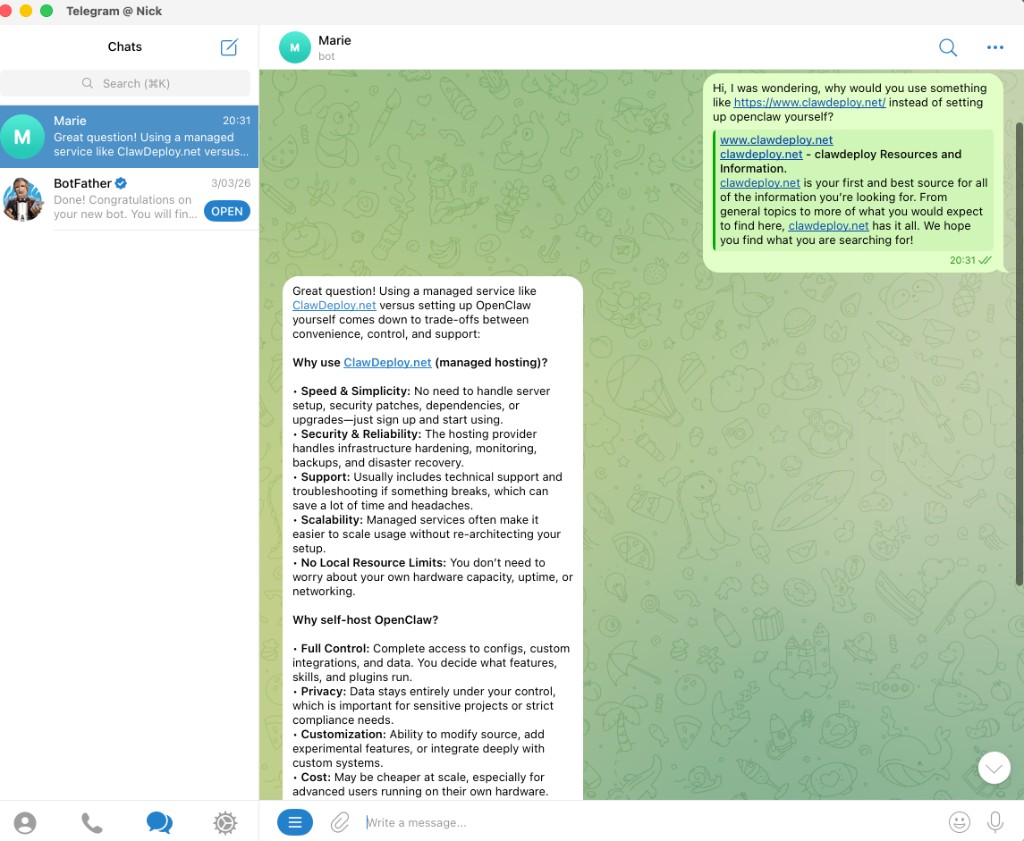
Source: Telegram conversation with an OpenClaw assistant deployed via ClawDeploy
Persistent memory is the single biggest differentiator between AI assistants that feel useful and chatbots that feel like a phone tree.
The best part? Your bot gets smarter over time. Every interaction adds to its memory, so responses become more accurate and more personalised as your customer base grows. Read more about how to deploy a Telegram AI bot in under 60 seconds to see how easy it is to get started.
2. Automate Sales and Lead Qualification with AI
Your sales funnel probably has a leak. Somewhere between "new lead" and "qualified opportunity," people fall through the cracks. They fill out a form, nobody follows up for 48 hours, and by the time your SDR reaches out, the lead has already signed with a competitor who responded in five minutes.
An OpenClaw assistant handles first contact instantly. It greets new leads on whatever channel they prefer, asks the qualifying questions your sales team would ask, and scores the lead based on their responses. Hot leads get routed to a human immediately. Cold leads get nurtured with follow-ups on a schedule you define.
This is not a dumb form bot that asks "what is your budget?" and calls it qualification. OpenClaw's skills system lets you build custom qualification logic. Your bot can look up a lead's company size, check their website, cross-reference with your CRM, and make an informed routing decision. All before a human touches the conversation.
The speed advantage alone is worth it. Studies consistently show that responding to a lead within five minutes makes you 21 times more likely to qualify them. An AI assistant responds in seconds. Your competitors' SDRs respond sometime between "after lunch" and "never."
You could build this pipeline yourself with webhooks, cloud functions, and a lot of duct tape. Or you could skip all of that and deploy a sales assistant through ClawDeploy with a pre-built persona template that handles the heavy lifting.
3. AI Content Creation and Scheduling That Scales
Content marketing works. You know this. Everyone knows this. The problem is that "create three blog posts, five social updates, and a newsletter every week" is a full-time job, and you already have a full-time job.
An OpenClaw assistant turns content creation from a bottleneck into a pipeline. Give it access to your brand guidelines, tone of voice doc, and a list of target topics. It researches, drafts, and queues up content for your review. You go from staring at a blank page to editing a solid first draft in the time it takes to make coffee.
The skills architecture in OpenClaw is what makes this practical rather than gimmicky. You can build skills that pull trending topics from your niche, analyse your top-performing posts for patterns, and generate content briefs based on what is actually working. The bot does not just write. It writes informed by data.
Scheduling is the other half of the equation. Your assistant can manage a content calendar, remind you when posts are due for review, and even publish directly to platforms through API integrations. The entire pipeline from ideation to publication becomes a conversation with your bot instead of a spreadsheet you forget to update.
For teams producing content at scale, this is not a "nice to have." It is the difference between publishing consistently and publishing whenever someone remembers to write something. Check out our comparison of self-hosting vs managed hosting to see why teams choose ClawDeploy over rolling their own infrastructure.
4. Meeting Notes and Follow-ups on Autopilot
Here is a universal truth about meetings: nobody wants to take notes, nobody wants to write the summary, and nobody wants to send the follow-up email. So what happens? The notes are incomplete, the summary never gets written, and the action items evaporate into the void.
An OpenClaw assistant solves this by handling the entire post-meeting workflow. Feed it a transcript (or connect it to your meeting tool's API), and it produces a structured summary with key decisions, action items assigned to specific people, and deadlines extracted from the conversation. Then it sends the summary to your team channel and follows up on action items when deadlines approach.
This is where OpenClaw's proactive heartbeat feature shines. Your bot does not wait for you to ask "hey, what did we decide last Tuesday?" It proactively checks whether action items are overdue and nudges the responsible person. Think of it as a project manager who never forgets, never gets passive aggressive about it, and works for the cost of API tokens.
The persistent memory layer ties everything together. Your assistant builds a running log of every meeting, every decision, and every action item. Three months later, when someone says "didn't we already discuss this?", you can ask your bot. It will pull up the exact meeting, the exact decision, and who was responsible. No more relitigating settled debates.
5. Competitor and Market Monitoring with Browser Control
Keeping tabs on your competitors is important. Actually doing it consistently is another story. You bookmark their pricing page, check it once, forget about it for three months, and then discover they launched a feature that directly competes with yours. Surprise.
OpenClaw's browser control capability turns your assistant into a tireless market analyst. Your bot can navigate competitor websites, extract pricing data, monitor product changelog pages, scan review sites for sentiment, and compile everything into a digestible report. It does this on a schedule you set, whether that is daily, weekly, or whenever a specific trigger fires.
This goes beyond simple web scraping. The browser control feature lets your bot interact with pages like a human would. It can log into public dashboards, navigate through JavaScript-heavy SPAs, take screenshots of relevant changes, and handle pagination. If a human can find the information in a browser, your OpenClaw assistant can too.
The practical value is enormous. Price changes, new feature launches, hiring patterns, content strategy shifts. All of this is publicly available information that most businesses never track systematically because the manual effort is not worth it. With an AI assistant, the effort drops to zero after the initial setup.
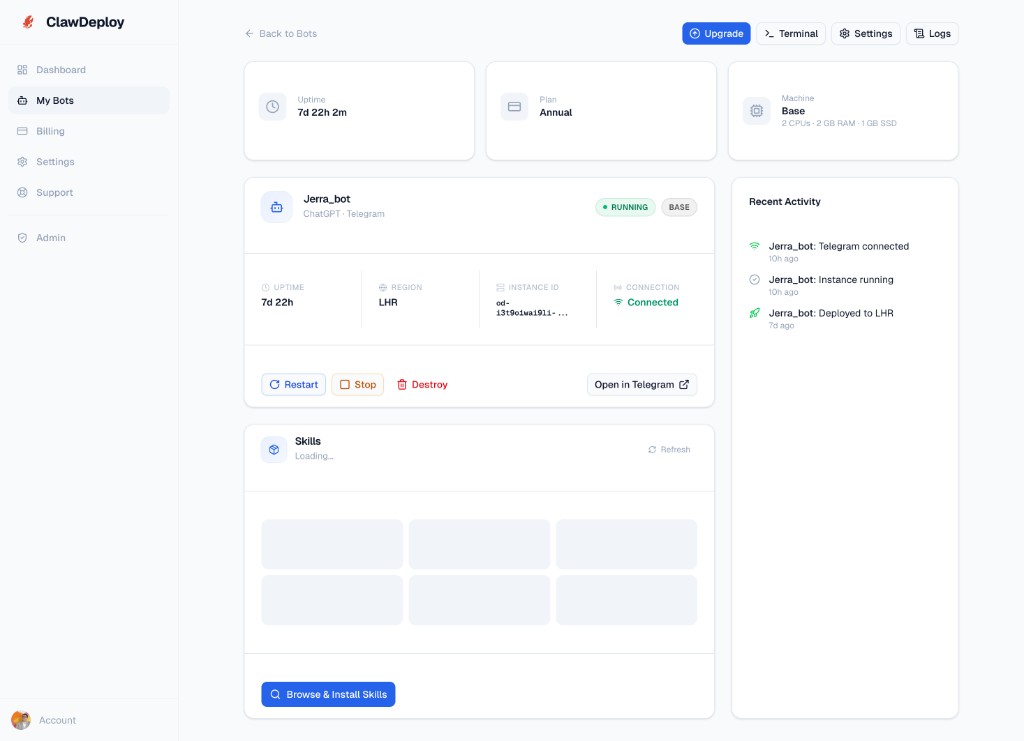
Source: clawdeploy.net/dashboard/bots
Deploy a market monitoring assistant and start getting weekly competitor digests delivered to your Telegram or Discord. The teams using this consistently say the same thing: "I can't believe we were flying blind before."
6. Build an Internal Knowledge Base AI Assistant
Every company has tribal knowledge. It lives in someone's head, in a Google Doc from 2023 that nobody can find, in a Slack thread buried under 400 messages about what to order for lunch, and in an onboarding guide that has not been updated since the company had four employees.
An OpenClaw assistant becomes your team's living knowledge base. Feed it your SOPs, onboarding docs, product specs, API documentation, and internal wikis. When a new hire asks "how do we handle refunds?", they get an instant, accurate answer pulled from your actual documentation instead of a vague "ask Sarah, she knows."
The persistent memory and skills combination is particularly powerful here. Your bot does not just retrieve documents. It understands them, synthesises information across multiple sources, and answers questions contextually. Ask "what is our refund policy for enterprise customers on annual plans?" and it pulls from the refund SOP, the enterprise pricing doc, and the annual plan terms to give you a complete answer.
The goal is not to replace your documentation. It is to make your documentation actually accessible. The best docs in the world are useless if nobody can find them when they need them.
This scales beautifully as your team grows. Every new document you add makes the bot smarter. Every question someone asks (and the bot answers) validates that your documentation is working. Questions the bot cannot answer highlight gaps in your docs that you need to fill. It is a feedback loop that makes your entire knowledge base better over time.
You can have this running in minutes. Pick a model, point it at your docs, and deploy. New team members will thank you. Existing team members will wonder how they survived without it.
7. Proactive Daily Briefings: Your AI Morning Digest
Most people start their workday the same way: open email, open Slack, open the project management tool, open the analytics dashboard, open the CRM, open the calendar. Thirty minutes later, you have a vague sense of what is happening and a strong desire to go back to bed.
An OpenClaw assistant with proactive heartbeats sends you a morning briefing before you even open your laptop. Revenue from yesterday, new signups, support ticket volume, tasks due today, meetings on your calendar, and any alerts that need attention. All compiled into one message on Telegram or Discord, delivered at the time you choose.
This is not a static report. Your bot pulls live data from your tools via API skills, synthesises it, and highlights what matters. "Revenue up 12% from last Tuesday. Three support tickets flagged as urgent. Your 2pm meeting with Acme Corp was rescheduled to Thursday." One message, everything you need to know, zero tab switching.
The proactive heartbeat system is what makes this possible. Unlike traditional bots that only respond when prompted, an OpenClaw assistant can initiate actions on a schedule. It checks your data sources at 7am, compiles the briefing, and sends it. You never have to ask. It just shows up, like a really competent executive assistant who also happens to know SQL.
You can customise the briefing to include exactly what matters to your role. A CEO gets revenue, churn, and pipeline numbers. A head of engineering gets deploy stats, error rates, and sprint progress. A marketing lead gets traffic, conversion rates, and content performance. Same bot framework, different skills, totally different briefings.
Why AI Assistants Beat Traditional Automation
Traditional automation tools (Zapier, Make, n8n) are great at "when X happens, do Y." They fall apart when the workflow requires context, judgment, or adaptation. AI assistants operate on a fundamentally different level.
Here is what sets OpenClaw apart from trigger-based automation:
- Persistent memory means your bot builds context over time instead of treating every interaction as a blank slate
- Skills let you extend your bot's capabilities with custom logic, API integrations, and domain-specific workflows
- Browser control gives your bot the ability to interact with any website, not just services with APIs
- Proactive heartbeats let your bot initiate actions on a schedule instead of waiting for triggers
- Channel flexibility means your bot lives where your team already works (Telegram, Discord, web, or all three)
The combination of these features creates assistants that feel less like scripts and more like team members. They remember, they learn, they act without being asked, and they handle ambiguity instead of breaking when an input does not match a template.
Getting Started: Deploy Your First AI Assistant
You do not need to be technical to deploy an OpenClaw assistant. ClawDeploy handles the infrastructure, scaling, and channel integration. The entire process takes three steps:
- Pick a model. Choose from Claude, GPT, Gemini, or other supported LLMs based on your needs and budget.
- Choose a channel. Telegram, Discord, or web. Your bot goes where your users are.
- Deploy. Hit the button. Your assistant is live in under a minute.
From there, you customise. Add skills for your specific workflows. Feed it your documentation. Set up proactive briefings. Connect it to your tools via API integrations. The framework grows with your needs.
For teams evaluating whether managed hosting makes sense, the math is straightforward. The alternative is provisioning servers, configuring webhooks, managing uptime, handling scaling, and debugging deployment issues. That is hours of DevOps work before your bot sends a single message. ClawDeploy compresses all of that into a deploy button and a pricing page you can check in ten seconds.
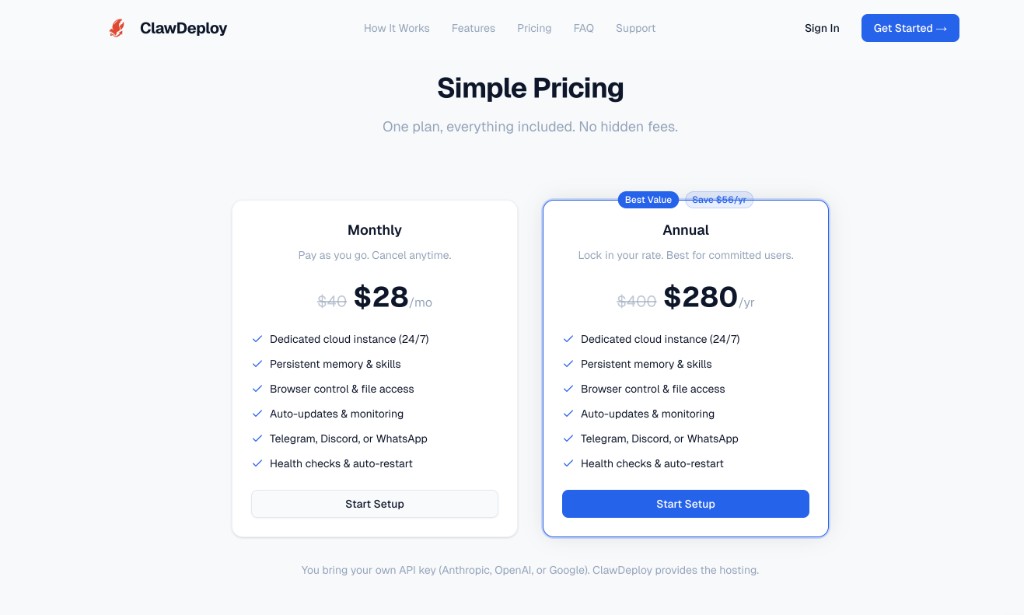
Source: clawdeploy.net/pricing
The Bottom Line
AI assistants are not coming for your job. They are coming for the parts of your job you hate: the repetitive support tickets, the lead follow-ups that slip through cracks, the meeting notes nobody writes, the competitor research nobody does, the onboarding questions that interrupt your deep work, and the morning scramble to figure out what is happening across your business.
OpenClaw gives you the framework. ClawDeploy gives you the deployment. Together, they turn "we should automate that" into "we automated that last Tuesday."
You now know what OpenClaw can do for your business. Deploy your first AI assistant in under a minute.
Deploy Your AI Assistant
Pick a model, choose a channel, deploy. Go from zero to a running AI assistant on Telegram, Discord, or WhatsApp in under a minute.